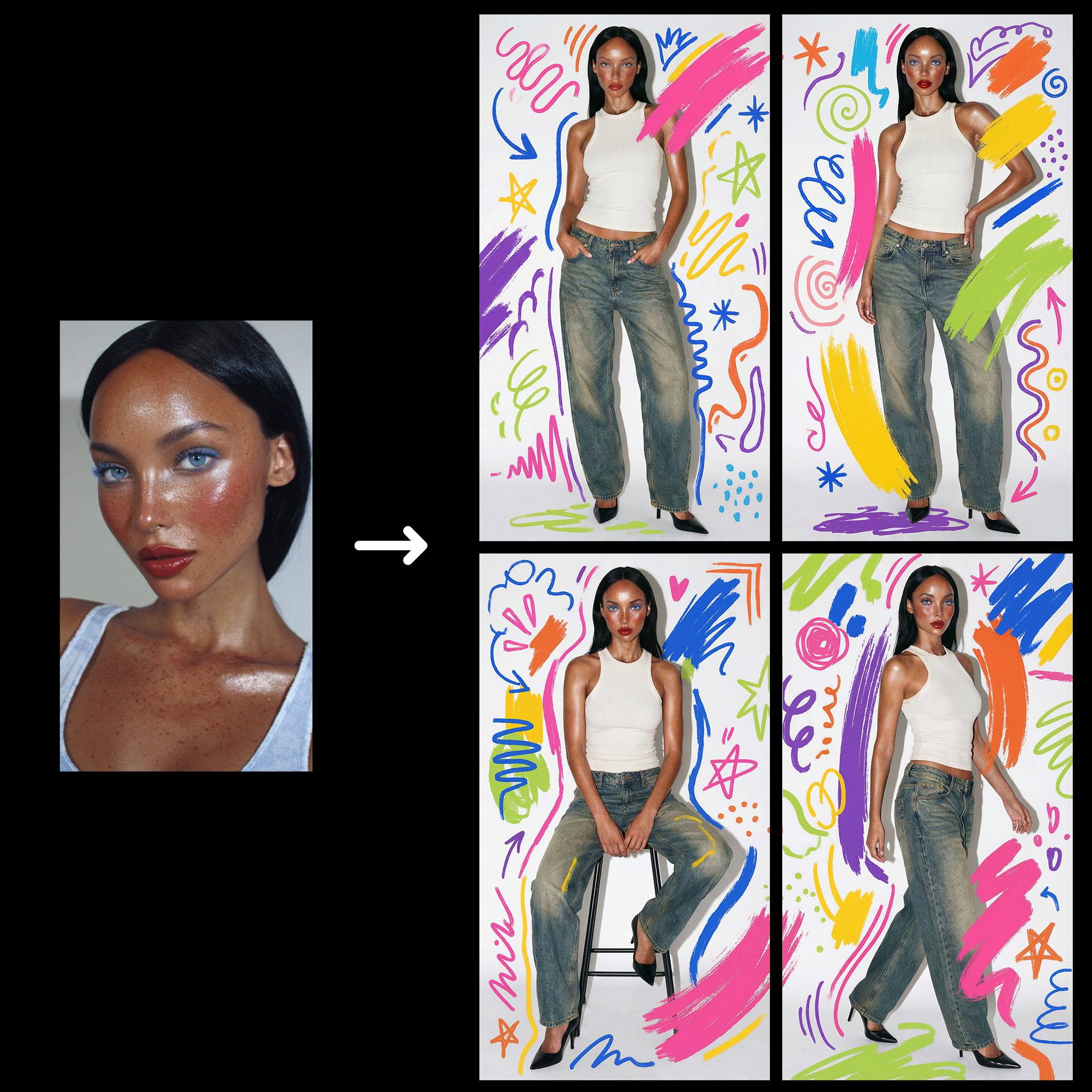
This ComfyUI workflow transforms a simple selfie into a high-fashion editorial photograph with creative doodle illustrations. By utilizing a combination of advanced AI models such as Google Gemini Image and Nano Banana Pro, the workflow allows users to input a selfie and a text prompt describing their desired outfit. The process involves generating four distinct fashion photographs, each enhanced with playful doodles to add a unique artistic flair. The workflow is designed to be both user-friendly and technically robust, employing nodes like LoadImage for importing selfies, and RegexReplace for processing text prompts. The GeminiImage2Node is pivotal in synthesizing the initial images, while the ImageBatch and ImageFromBatch nodes facilitate the creation and selection of multiple outputs. Users can then upscale their chosen image and refine facial details, ensuring a polished final product.
API
Use this workflow from code
Every Comfy workflow is a JSON graph. The payload below is this workflow, exactly as ComfyUI runs it — fetch it from the URL, keep it in version control, or load it in ComfyUI and run it node by node.
GET https://comfy.org/workflows/download/cf405c0f714c.jsonFetching workflow JSON…
Run it from Python or TypeScript with the Comfy SDK. The same code targets Comfy Cloud or a ComfyUI you host yourself — only the base URL changes.
# Install (beta)
pip install comfy-sdk        # Python
npm i @comfyorg/sdk          # TypeScript

# Run "Selfie + Text Prompt to Studio Photoshoot Doodle" (Python)
from comfy_sdk import Comfy

client = Comfy(api_key="comfyui-...")

# This workflow, exported in API format (see note below)
wf = client.workflows.from_file("templates-fashion_shoot_prompt_doodle_api.json")

asset = client.assets.from_file("input.png")
wf.set_input("1", "image", asset)  # LoadImage

job = client.run(wf)
for output in job.get_outputs("13"):  # SaveImage
    output.to_file(output.name)
The SDK takes a workflow in API format: open this workflow in ComfyUI and use File → Export Workflow (API). API access requires a Comfy Cloud plan with an API key. SDK docs · Get an API key
FAQ














