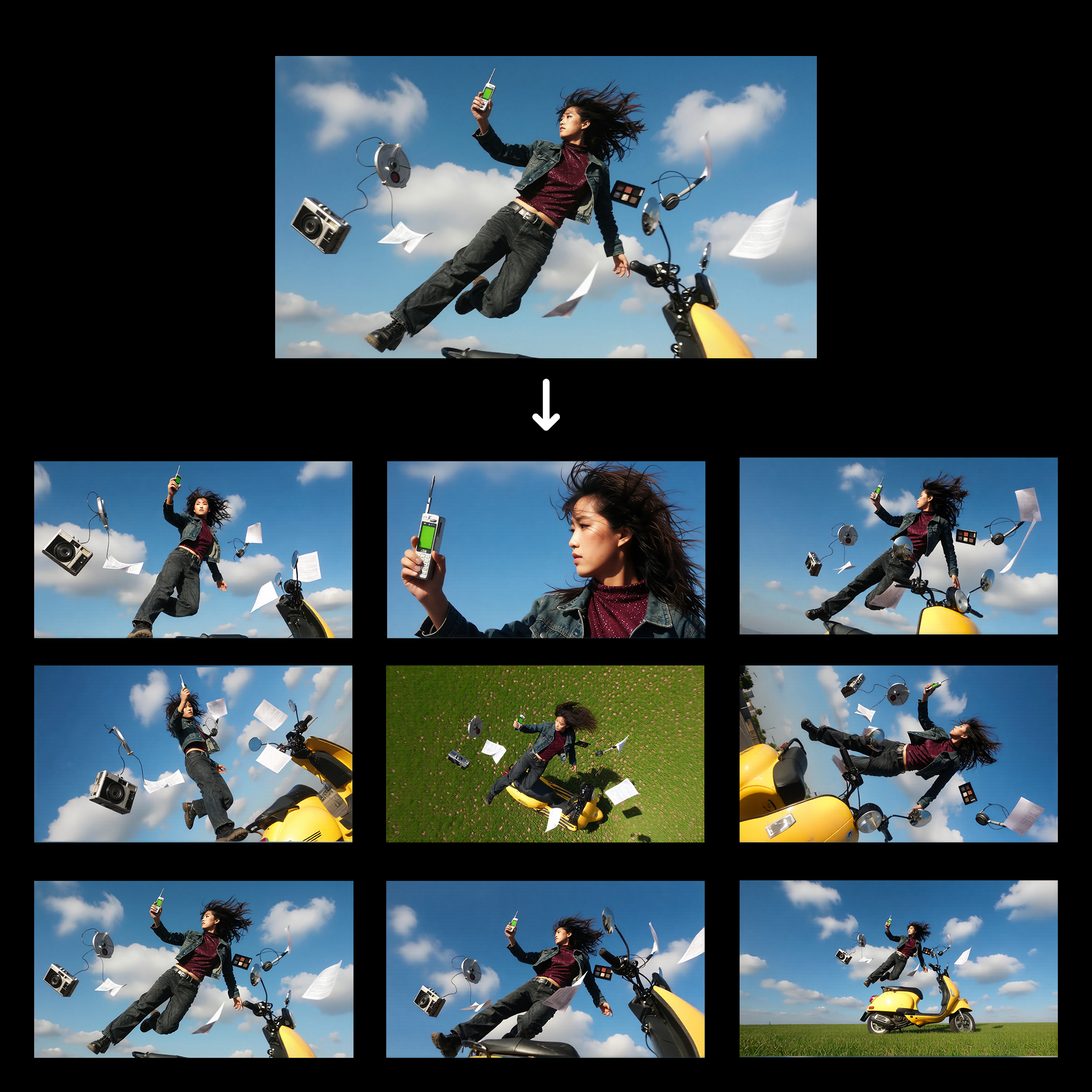
This ComfyUI workflow, titled '1 Click Multiple Character Angles,' is designed to transform a single character image into multiple views from different angles. By leveraging the Qwen-Image-Edit model, this workflow efficiently processes the input image to generate varied perspectives, making it particularly useful for artists and designers who need to visualize characters in a 3D space without manually redrawing each angle. The workflow employs several key nodes, including LoadImage for importing the character image, and SaveImage for exporting the newly generated views. Nodes like 0f47377a-2933-4dba-9791-a9c54b078226 and b7908082-f5ff-497d-8e80-e4b0ffde0419 are crucial in processing and transforming the images, ensuring high-quality output. This workflow is not only a time-saver but also enhances creativity by providing diverse visual perspectives with minimal effort.
API
Use this workflow from code
Every Comfy workflow is a JSON graph. The payload below is this workflow, exactly as ComfyUI runs it — fetch it from the URL, keep it in version control, or load it in ComfyUI and run it node by node.
GET https://comfy.org/workflows/download/16f123e593db.jsonFetching workflow JSON…
Run it from Python or TypeScript with the Comfy SDK. The same code targets Comfy Cloud or a ComfyUI you host yourself — only the base URL changes.
# Install (beta)
pip install comfy-sdk        # Python
npm i @comfyorg/sdk          # TypeScript

# Run "1 Click Multiple Character Angles" (Python)
from comfy_sdk import Comfy

client = Comfy(api_key="comfyui-...")

# This workflow, exported in API format (see note below)
wf = client.workflows.from_file("templates-1_click_multiple_character_angles-v1.0_api.json")

asset = client.assets.from_file("input.png")
wf.set_input("25", "image", asset)  # LoadImage

job = client.run(wf)
for output in job.get_outputs("373"):  # SaveImage
    output.to_file(output.name)
The SDK takes a workflow in API format: open this workflow in ComfyUI and use File → Export Workflow (API). API access requires a Comfy Cloud plan with an API key. SDK docs · Get an API key
FAQ














