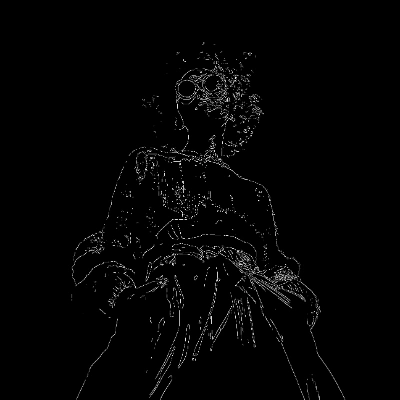

The Qwen-Image 2512: Fun Union ControlNet workflow is designed to transform images by applying structured guidance based on various control types such as Canny, HED, Depth, Pose, MLSD, Scribble, or Grayscale. This workflow leverages the Qwen-Image 2512 model to generate new images that maintain the structural integrity of the input image while allowing for creative alterations. The process begins with uploading an image and selecting a control type, which dictates the structural conditions under which the new image is generated.
Technically, this workflow utilizes a series of nodes to preprocess the input image and apply the chosen control type. For instance, the Canny node is used for edge detection, while the Depth node helps in understanding the spatial structure of the image. The ResizeImageMaskNode and GetImageSize nodes ensure that the image dimensions are optimized for processing. The PreviewImage node allows users to view the results before finalizing them with the SaveImage node. This workflow is particularly useful for artists and designers who wish to explore different stylistic interpretations of their images while preserving essential structural elements.
API
Use this workflow from code
Every Comfy workflow is a JSON graph. The payload below is this workflow, exactly as ComfyUI runs it — fetch it from the URL, keep it in version control, or load it in ComfyUI and run it node by node.
GET https://comfy.org/workflows/download/02bd87067503.jsonFetching workflow JSON…
Run it from Python or TypeScript with the Comfy SDK. The same code targets Comfy Cloud or a ComfyUI you host yourself — only the base URL changes.
# Install (beta)
pip install comfy-sdk        # Python
npm i @comfyorg/sdk          # TypeScript

# Run "Qwen-Image 2512: Fun Union ControlNet" (Python)
from comfy_sdk import Comfy

client = Comfy(api_key="comfyui-...")

# This workflow, exported in API format (see note below)
wf = client.workflows.from_file("image_qwen_Image_2512_controlnet_api.json")

asset = client.assets.from_file("input.png")
wf.set_input("121", "image", asset)  # LoadImage

job = client.run(wf)
for output in job.get_outputs("60"):  # SaveImage
    output.to_file(output.name)
The SDK takes a workflow in API format: open this workflow in ComfyUI and use File → Export Workflow (API). API access requires a Comfy Cloud plan with an API key. SDK docs · Get an API key
FAQ














