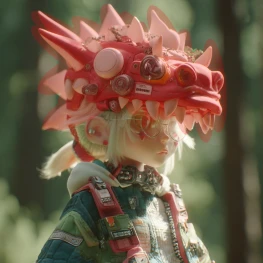

The 'Flux.1 Dev OneReward' workflow is a versatile tool designed for image manipulation tasks such as inpainting, outpainting, and object removal. Developed by the bytedance-research team, this workflow leverages the Flux.1 model to seamlessly fill in or extend parts of an image. The workflow employs a series of nodes, including LoadImage, SaveImage, and PreviewImage, to manage the input and output processes. The core functionality is driven by nodes like cb0eaf1c-704f-477d-8893-79665db14ed1 and b8560576-5524-4495-baa5-2cb40da12e9e, which handle the complex computations required for high-quality image editing. This makes it particularly useful for creative professionals and enthusiasts who need precise control over image content.
API
Use this workflow from code
Every Comfy workflow is a JSON graph. The payload below is this workflow, exactly as ComfyUI runs it — fetch it from the URL, keep it in version control, or load it in ComfyUI and run it node by node.
GET https://comfy.org/workflows/download/ffbc62a77b85.jsonFetching workflow JSON…
Run it from Python or TypeScript with the Comfy SDK. The same code targets Comfy Cloud or a ComfyUI you host yourself — only the base URL changes.
# Install (beta)
pip install comfy-sdk        # Python
npm i @comfyorg/sdk          # TypeScript

# Run "Flux.1 Dev OneReward" (Python)
from comfy_sdk import Comfy

client = Comfy(api_key="comfyui-...")

# This workflow, exported in API format (see note below)
wf = client.workflows.from_file("image_flux.1_fill_dev_OneReward_api.json")

asset = client.assets.from_file("input.png")
wf.set_input("17", "image", asset)  # LoadImage

job = client.run(wf)
for output in job.get_outputs("62"):  # SaveImage
    output.to_file(output.name)
The SDK takes a workflow in API format: open this workflow in ComfyUI and use File → Export Workflow (API). API access requires a Comfy Cloud plan with an API key. SDK docs · Get an API key
FAQ














