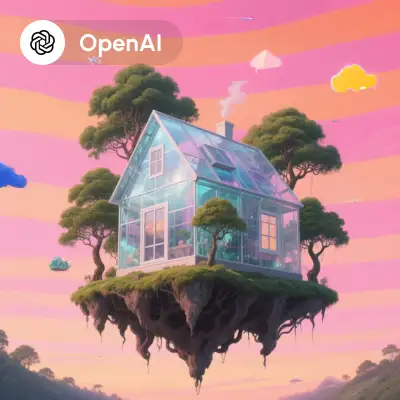
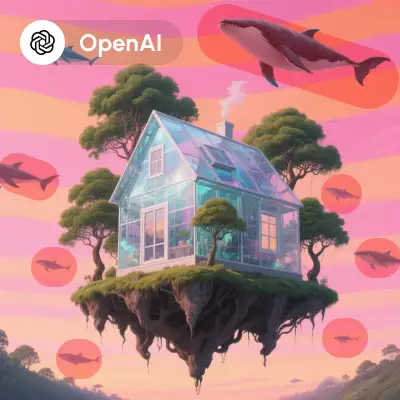
This ComfyUI workflow leverages the power of the OpenAI Dall-E 2 API to perform inpainting, a technique used to edit or restore parts of an image. By integrating nodes such as OpenAIDalle2, PreviewImage, and LoadImage, this workflow allows users to seamlessly modify images by filling in missing or undesired sections with contextually appropriate content. The OpenAIDalle2 node acts as the core of this workflow, connecting to OpenAI's powerful API to generate high-quality inpainting results. This workflow is particularly useful for tasks that require precise image editing, such as restoring old photographs, removing unwanted objects, or creatively altering images to fit specific needs.
API
Use this workflow from code
Every Comfy workflow is a JSON graph. The payload below is this workflow, exactly as ComfyUI runs it — fetch it from the URL, keep it in version control, or load it in ComfyUI and run it node by node.
GET https://comfy.org/workflows/download/71a0edbac544.jsonFetching workflow JSON…
Run it from Python or TypeScript with the Comfy SDK. The same code targets Comfy Cloud or a ComfyUI you host yourself — only the base URL changes.
# Install (beta)
pip install comfy-sdk        # Python
npm i @comfyorg/sdk          # TypeScript

# Run this workflow (Python)
from comfy_sdk import Comfy

client = Comfy(api_key="comfyui-...")
wf = client.workflows.from_file("workflow_api.json")
job = client.run(wf)
for output in job.get_outputs("<output-node-id>"):
    output.to_file(output.name)
The SDK takes a workflow in API format: open this workflow in ComfyUI and use File → Export Workflow (API). API access requires a Comfy Cloud plan with an API key. SDK docs · Get an API key
FAQ














