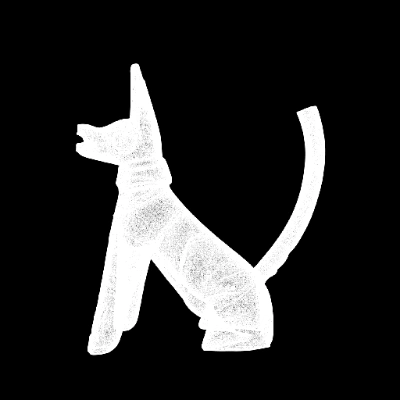
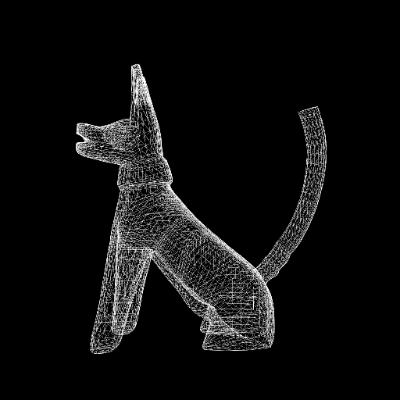
The HY 3D: Smart Topology workflow is designed to streamline the process of optimizing 3D models by reducing their polygon count while maintaining essential details. This workflow is particularly useful for those working with high-poly models that need to be simplified for applications such as real-time rendering or efficient storage. It utilizes the Hunyuan3D model to intelligently reduce the complexity of a 3D model without compromising on quality. The process begins with the Load3D node, which allows users to upload their high-poly models in formats such as .glb or .obj. The core of the workflow is the TencentSmartTopologyNode, which applies advanced algorithms to achieve the desired level of topology optimization. Finally, the SaveGLB node outputs the optimized model in a format ready for further use or distribution.
API
Use this workflow from code
Every Comfy workflow is a JSON graph. The payload below is this workflow, exactly as ComfyUI runs it — fetch it from the URL, keep it in version control, or load it in ComfyUI and run it node by node.
GET https://comfy.org/workflows/download/18f288d70060.jsonFetching workflow JSON…
Run it from Python or TypeScript with the Comfy SDK. The same code targets Comfy Cloud or a ComfyUI you host yourself — only the base URL changes.
# Install (beta)
pip install comfy-sdk        # Python
npm i @comfyorg/sdk          # TypeScript

# Run "HY 3D: Smart Topology" (Python)
from comfy_sdk import Comfy

client = Comfy(api_key="comfyui-...")

# This workflow, exported in API format (see note below)
wf = client.workflows.from_file("api_hunyuan3d_smart_topology_api.json")

job = client.run(wf)
for output in job.get_outputs("4"):  # SaveGLB
    output.to_file(output.name)
The SDK takes a workflow in API format: open this workflow in ComfyUI and use File → Export Workflow (API). API access requires a Comfy Cloud plan with an API key. SDK docs · Get an API key
FAQ














